

JBL Headphones
JBL Headphones App Info
-
App Name
JBL Headphones
-
Package Name
jbl.stc.com
-
Developer
Harman Consumer, Inc. -
Category
Music & Audio -
Updated
2026/03/17
-
Version
5.35.12
JBL Headphones App
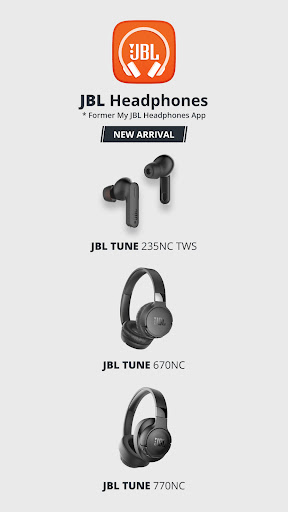
The JBL Headphones App redefines your listening experience. With this app, you can conveniently control your headphone settings, Smart Ambient, Noise Cancelling and more on your JBL Headphones. Supported models include JBL Wave Buds, Wave Beam, Wave Flex, Vibe Buds, Vibe Beam, Vibe Flex, Tune Flex, Tune 235NC, Tune ANC, Tune130NC TWS, Tune230NC TWS, Tune Beam, Tune Buds, Tune520BT, Tune720BT, Tune 670NC, Tune 770NC, Live Free 2, Live Pro 2, Live Free NC+ TWS, Live Pro+ TWS, Live300 TWS, Live Flex, Live 460NC, Live 660NC, Live 400BT, 500BT, 650BTNC, 220BT, Club Pro+ TWS, Club700BT, 950NC, One, Tour Pro+ TWS, Tour One, Tour Pro 2, Tour One M2, Quantum TWS, Quantum TWS Air, Endurance Peak 3, Endurance Race, Reflect Aero, Reflect Flow Pro, Reflect Mini NC, Reflect Aware, UA Project Rock Over-Ear Training Headphones, Everest Elite100, 150NC, 300 and 750NC, and JBL X Tomorrowland.
Features
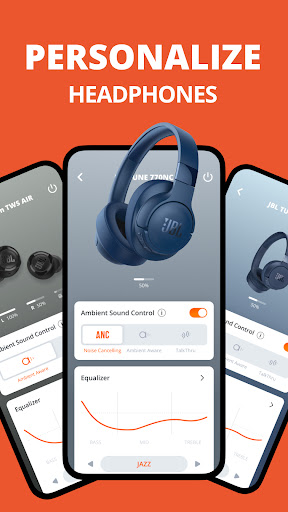
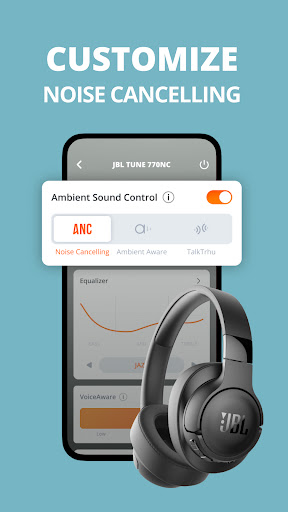
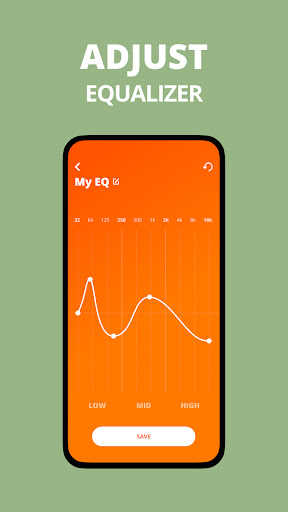
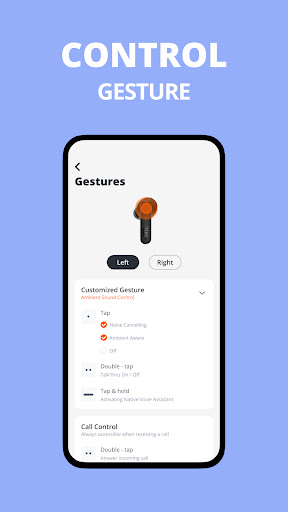
The JBL Headphones App offers a variety of features to enhance your listening experience. These include Voice Assistant Setup, EQ Settings, Application Settings, Tips, FAQ, Headphone Battery Indicator, Touch Gestures Customization, Smart Audio Mode, and Multi Noise Cancelling Mode. Voice Assistant Setup allows you to select Google Assistant or Amazon Alexa as your voice assistant. EQ Settings provide predefined EQ presets and allow you to customize your own settings. Application Settings include Voice Assistant, Smart Audio Modes, Touch Gesture Setting, Product Help, Tips, and FAQ. Tips and FAQ provide quick answers to common questions. Headphone Battery Indicator displays the remaining battery life. Touch Gestures Customization allows you to change your button configuration. Smart Audio Mode adjusts the audio to what you are doing. Multi Noise Cancelling Mode allows you to select different noise cancelling levels.
Overall Review
The JBL Headphones App is a great way to get the most out of your JBL headphones. With its wide range of features, you can customize your listening experience to suit your needs. The Voice Assistant Setup, EQ Settings, Application Settings, Tips, FAQ, Headphone Battery Indicator, Touch Gestures Customization, Smart Audio Mode, and Multi Noise Cancelling Mode all work together to provide an enjoyable and personalized listening experience. Whether you are looking for a way to customize your sound or just want to get the most out of your headphones, the JBL Headphones App is the perfect choice.


