Yahoo Mail remains one of the most established and reliable email services available today. With millions of active users worldwide, Yahoo Mail continues to evolve while maintaining its reputation for simplicity and robust functionality. Whether you need a primary inbox or a secondary account, Yahoo Mail offers a balanced mix of traditional features and modern conveniences that many users still prefer over newer alternatives.
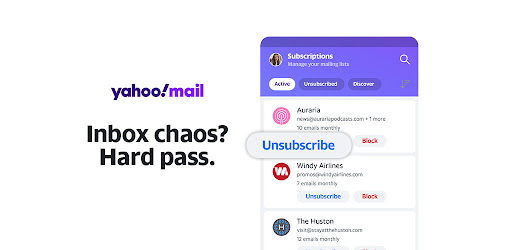
Yahoo Mail stands out with its generous storage capacity, allowing users to keep thousands of messages without worrying about space limits. The interface supports customizable themes, advanced search filters, and seamless integration with other Yahoo services. Users enjoy built-in calendar functionality 📅, easy attachment handling for large files, and disposable email addresses for better privacy. Additionally, Yahoo Mail provides strong spam protection 🛡️ and automatic organization tools that help maintain a clutter-free inbox.
Getting started with Yahoo Mail is straightforward and takes just a few minutes. Visit the official Yahoo website and click on the signup option. Provide basic information including your desired username, a secure password, and recovery details. Once registered, you can personalize your account by adding a profile picture, setting up email signatures, and configuring forwarding rules. The mobile app offers full synchronization across devices 📱, ensuring you can access Yahoo Mail on the go with the same familiar experience.
When comparing Yahoo Mail with Gmail, several differences become apparent. Yahoo Mail often appeals to users who value a clean, less advertisement-heavy interface and appreciate its long-standing reliability. While Gmail excels in AI-powered smart features and deep integration with Google Workspace, Yahoo Mail provides better free storage options and unique disposable address capabilities. Many professionals maintain both accounts, using Yahoo Mail for personal communications and newsletters while relying on Gmail for work-related tasks. The choice ultimately depends on your specific needs and preferences regarding privacy and ecosystem integration.
To get the most from Yahoo Mail, organize your inbox using folders and filters to automatically sort incoming messages. Take advantage of keyboard shortcuts for faster navigation ⌨️ and enable two-factor authentication immediately after setup. Regularly review your account settings to optimize notifications and reduce distractions. For power users, exploring advanced search operators can dramatically speed up finding old emails. Additionally, integrating Yahoo Mail with popular productivity tools through IMAP settings allows for a more streamlined workflow across different applications.
Security remains a top priority when using Yahoo Mail. Always use a strong, unique password and enable two-step verification to protect against unauthorized access. Be cautious with suspicious links and attachments, even though Yahoo Mail's spam filters are quite effective. Review connected apps regularly and revoke access for any unused services. Yahoo Mail also offers options to manage data sharing preferences, helping users maintain better control over their personal information. Staying updated with the latest security alerts from Yahoo ensures ongoing protection of your account.
Yahoo Mail continues to be a solid choice for users seeking a dependable, feature-rich email service without unnecessary complexity. Its combination of ample storage, user-friendly design, and practical tools makes it relevant even in today's competitive landscape. By following the setup recommendations and efficiency tips outlined here, you can transform Yahoo Mail into a highly effective communication hub tailored to your lifestyle. Whether managing personal correspondence or handling multiple projects, Yahoo Mail delivers consistent performance that millions continue to trust.


