

Google Classroom

Google Classroom App Info
-
App Name
Google Classroom
-
Package Name
com.google.android.apps.classroom
-
Developer
Google LLC -
Category
Education -
Updated
2026/04/17
-
Version
3.56.899753932
Introduction
In today’s fast - paced digital world, educational institutions are constantly seeking innovative tools to enhance the teaching and learning experience. Google Classroom emerges as a leading solution, revolutionizing the way teachers and students interact, collaborate, and manage their academic tasks. As a part of Google Workspace for Education, it combines the power of Google’s technology with a focus on security, privacy, and user - friendliness.
Key Features
1. Effortless Assignment Management
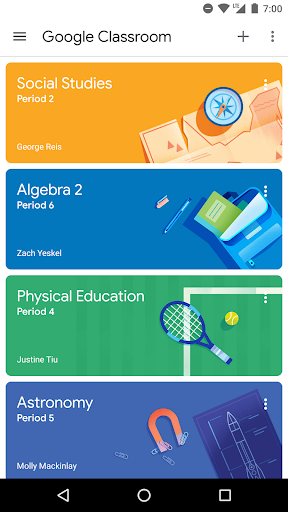
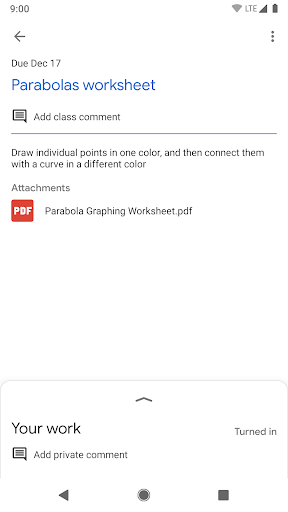
Google Classroom simplifies the assignment process for both teachers and students. Teachers can create assignments with just a few clicks, specifying details such as due dates, instructions, and attached materials. These assignments are then neatly organized on the dedicated assignments page, where students can easily view and access them. This clear and structured layout helps students stay on top of their workload, reducing the chances of missing deadlines.
Moreover, all the associated class materials, including documents, spreadsheets, presentations, photos, and videos, are automatically sorted into folders in Google Drive. This integration not only keeps everything in one place but also makes it convenient for teachers to distribute resources and for students to retrieve them. Whether it’s a research paper template or a video tutorial, finding the right material is a seamless process.
2. Robust Communication Channels
Effective communication is the cornerstone of a successful learning environment, and Google Classroom excels in this area. Teachers can use the platform to send instant announcements to the entire class. These announcements can be used to share important news, upcoming events, or changes in the curriculum. Students are notified promptly, ensuring that they are always in the loop.
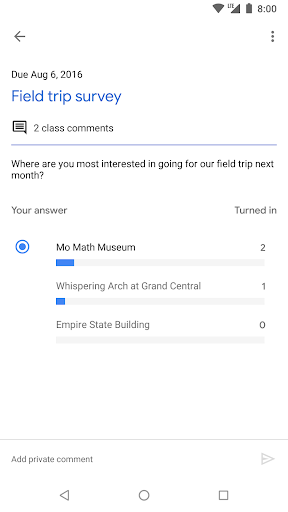
In addition to announcements, the app facilitates class discussions. Teachers can initiate topics, and students can contribute their thoughts, ask questions, and engage in meaningful conversations. This peer - to - peer interaction promotes critical thinking and a deeper understanding of the subject matter. The stream feature also allows students to share relevant resources, such as articles or websites, further enriching the learning experience.
3. Streamlined Grading and Feedback
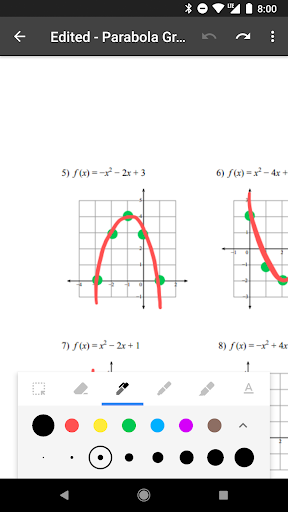
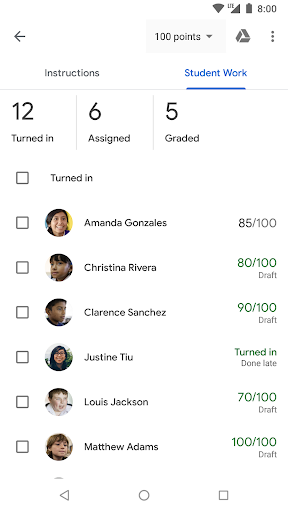
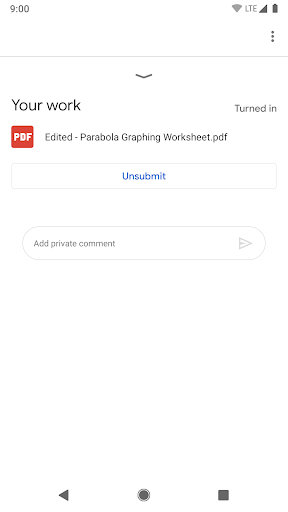
For teachers, Google Classroom offers a streamlined grading and feedback system. They can review and evaluate assignments directly within the app, leaving detailed comments and grades. This digital approach eliminates the need for paper - based grading, saving time and reducing the risk of errors. Teachers can also track the progress of each student, identify areas where they may be struggling, and provide targeted support.
Students can easily access their graded assignments and feedback, enabling them to understand their strengths and weaknesses. This timely feedback loop helps students improve their performance and learn from their mistakes.
4. Enhanced Privacy and Security
Privacy and security are of utmost importance in an educational setting, and Google Classroom takes these concerns seriously. As part of Google Workspace for Education, it adheres to strict privacy policies. There are no ads, and student data is never used for advertising purposes. This ensures that students and teachers can focus on learning without any distractions or privacy - related worries.
Compatibility and Accessibility
Google Classroom is highly accessible, compatible with a wide range of devices, including desktops, laptops, tablets, and smartphones. Whether students are at home, in the library, or on the go, they can easily access their classes and assignments. The app also supports offline access, allowing students to view and work on their materials even without an internet connection. Once they are back online, the changes are automatically synced.
How to Get Started
Getting started with Google Classroom is a straightforward process. Teachers can create a class by providing basic information such as the class name, subject, and section. They can then add students either by directly entering their email addresses or by sharing a unique class code. Students can use this code to join the class and start participating in the learning activities.
Conclusion
Google Classroom is a comprehensive and powerful educational app that offers a multitude of benefits for teachers and students alike. Its user - friendly interface, extensive features, and commitment to privacy and security make it an ideal choice for modern educational institutions. By leveraging the capabilities of Google Classroom, schools can create a more engaging, efficient, and collaborative learning environment, preparing students for success in the digital age. Whether you’re a teacher looking to streamline your teaching process or a student aiming to enhance your learning experience, Google Classroom is the tool you need.


