

Cast for Chromecast & TV Cast





Cast for Chromecast & TV Cast App Info
-
App Name
Cast for Chromecast & TV Cast
-
Package Name
com.casttv.castforchromecast.screencast
-
Developer
iKame Applications - Begamob Global -
Category
Tools -
Updated
2026/04/06
-
Version
4.2.3
Reviewer’s View
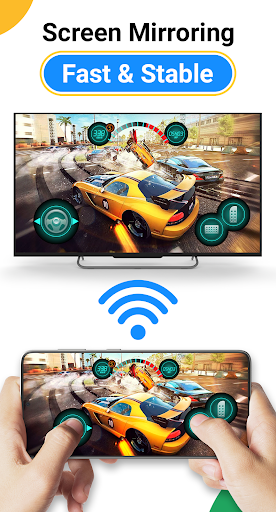
Exploring the Cast for Chromecast & TV Cast app is a straightforward endeavor, primarily due to its user-friendly interface and seamless functionality. The process kicks off by ensuring both your Android or iOS devices and smart TV are on the same Wi-Fi network, followed by enabling Wireless Display and Miracast on your TV. Once the groundwork is set, you're guided to effortlessly cast photos, videos, games, and various apps to a larger screen. The free Cast for Chromecast & TV Cast app enhances your multimedia experience by liberating users from the confines of small screens. The moment after the Cast for Chromecast & TV Cast download and installation is complete, you’re only a step away from transforming your TV screen into a giant tablet. Whether it’s streaming your favorite Netflix series or mirroring a fitness app during workouts, the app brings dynamism and convenience to everyday digital interactions. Logging into Cast for Chromecast & TV Cast on both Android and IOS platforms is fuss-free, getting you straight into the action with minimal delay.
Good Points Galore
1. **Versatile Compatibility:** On top of casting to popular devices like Chromecast, the app extends its compatibility to a wide range of smart TVs including Roku, Fire TV, Xbox, Samsung, and LG, making it an all-in-one solution.
2. **User-Friendly Interface:** From pairing devices to accessing multimedia content, the interface ensures that users do not have to grapple with challenging navigation or technical hurdles.
3. **High-Quality Streaming:** The app delivers content at impressively high quality and real-time speed, ensuring that your HD photos and videos retain their resolution when projected to a larger screen.
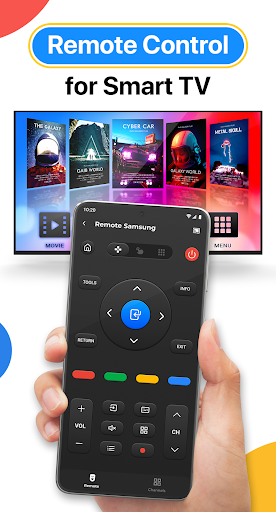
4. **Extended Control Features:** Aside from simple casting, the app provides additional controls for smart TV operations like volume adjustment, track forwarding/rewinding, and more, further enhancing the television-viewing experience.
Number of Rough Edges
1. **Wi-Fi Dependency:** The requirement for a stable Wi-Fi connection can be a limitation. Without it, users might face interruptions or inability to use the Cast for Chromecast & TV Cast app effectively.
2. **Device Compatibility Issues:** Despite broad compatibility claims, some users report difficulties when attempting to connect less common smart TV brands, suggesting room for improvement in device support.
3. **Latency Concerns:** In certain cases, users might experience slight latency during screen mirroring, which can be particularly noticeable when playing fast-paced games.
4. **Lack of Offline Features:** The app is heavily reliant on an active internet connection, offering no offline features or downloads, which could be a downside for users with limited connectivity.
What’s New?
The latest update of the Cast for Chromecast & TV Cast app introduces several significant upgrades to enhance user experience. Notably, stability enhancements in connection speed and reliability reduce the previous latency concerns. The updated version ensures smoother interaction across a broader range of devices with improved compatibility for an even wider selection of smart TVs. Additionally, user feedback has been taken on board to revamp the user interface, making content navigation and casting more efficient. The update also includes bug fixes and overall performance enhancements, promoting a frictionless experience for both Android and IOS users. If you haven't yet, now is the perfect time to download and install Cast for Chromecast & TV Cast, and immerse yourself in the newly refined multimedia casting universe.


